Modules · Network inventory

Discover what is connected and record it in the repository.

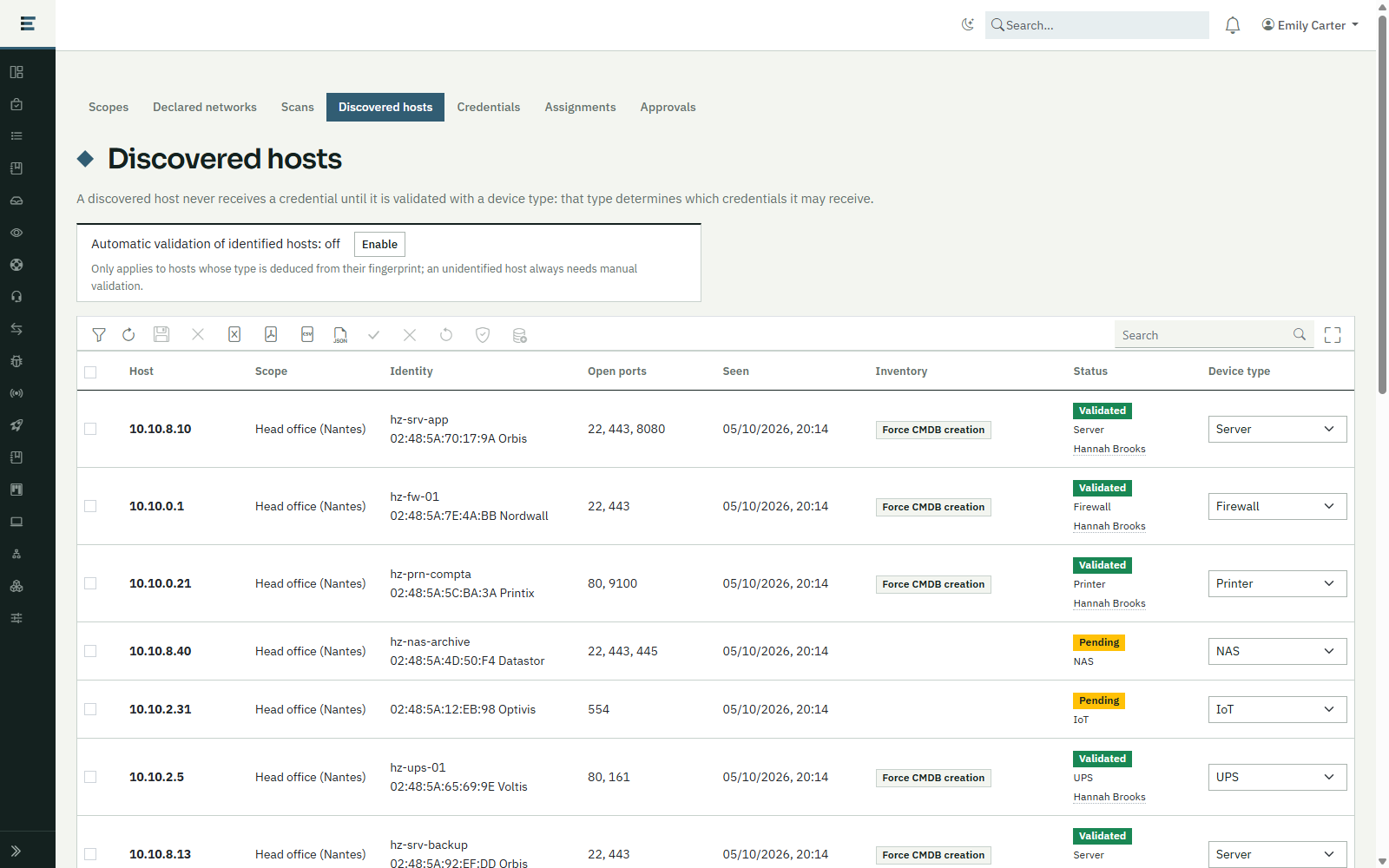
Network inventory drives the discovery of equipment carried out by an agent installed on your site, validates what is found and feeds the CMDB, within limits you control.
Request a demonstration

Benefits

  • A network estate rediscoveredSwitches, routers, firewalls, printers, NAS devices, UPS units and connected objects are discovered on your networks.
  • Controlled scansAuthorised networks, exclusions, rate, time windows: the scan stays within the limits you set.
  • Protected credentialsNo password is kept in the module: it only refers to the name of a secret in the vault.
  • A repository kept up to dateValidated and inventoried equipment is written to the CMDB, with its interfaces.

How it works

01

Frame

Declare your networks, then create scan scopes with their targets, exclusions, rate and windows.

02

Discover

An agent installed on your site sweeps the scope, on demand or on a schedule.

03

Validate

Each device found is given a type, by hand or by an automatic rule.

04

Inventory

Validated devices are queried with the credentials authorised for their type, then recorded in the CMDB.

Related modules

Functional scope

  • Declared networksThe organisation’s IPv4 networks: a scope can only target addresses they contain.
  • Scan scopesTargets, exclusions, port profile, parallelism, rate, probe delay, scheduling and authorised time windows.
  • Secure credentialsSNMP and SSH credentials described by the name of a vault secret; safeguards on read-only access, the least secure options and the SSH host key fingerprint.
  • ApprovalsAny sensitive creation or change is held, then approved by another person or by a workflow.
  • Scan logWho, which scope, which targets, when, how many devices: kept as it was, not editable afterwards.
  • Device validationManual validation, rejection, or an optional automatic rule based on the device fingerprint.
  • In-depth inventoryValidated devices are queried with the credentials associated with their type; a changed SSH key is flagged and blocked until accepted.
  • Writing to the CMDBMachines and network devices, with their interfaces, matched by serial number, MAC address or name.

Integrations

  • Agent installed on your site, for discovery and inventory
  • Secrets vault, for the credentials
  • CMDB repository
  • Scheduler, for recurring scans
  • Approval workflow, if you choose one

Prerequisites

  • An agent installed on each site to be scanned
  • The networks to declare and the credentials to create, with you
  • The agreement of your IT security team: a scan can trigger your detection tools

Want to see this module on your own processes?

We will build the demonstration around your operational reality.

Request a demonstration