Modules · Purchasing

Order what you need, follow it through to receipt.

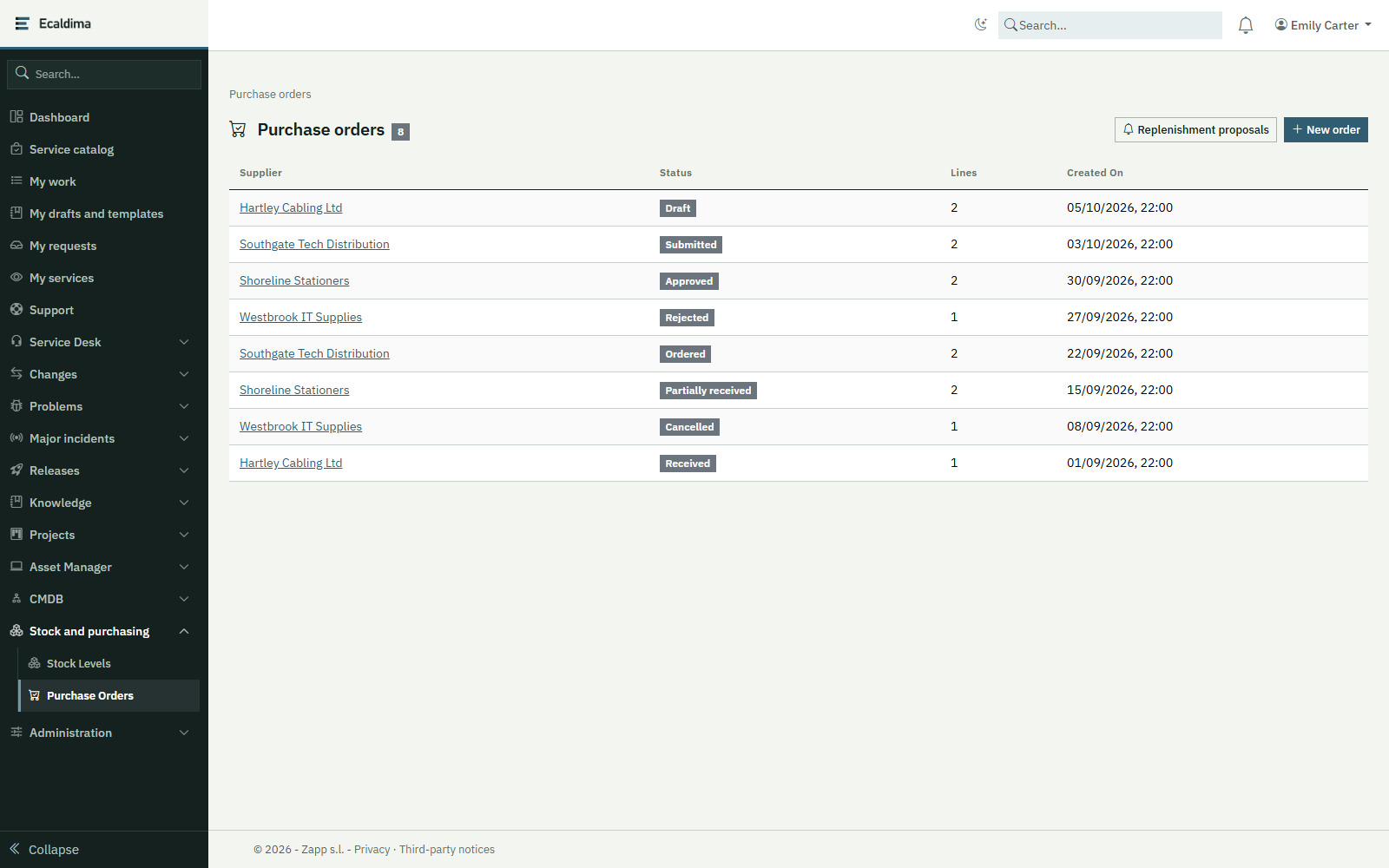
Purchasing follows orders for supplies from request to receipt, line by line, and credits the stock at each receipt.
Request a demonstration

Benefits

  • Orders started in one clickA replenishment proposal becomes a draft purchase order, with the item’s preferred supplier and unit cost.
  • A clear workflowDraft, submitted, approved or rejected, ordered, received: each step refuses an incompatible status, and an order with no lines cannot be submitted.
  • Stock kept up to dateEach receipt credits the stock with no re-keying and can never exceed the quantity ordered.
  • References that do not vanishA supplier, contract, item or room named on a purchase order cannot be deleted, whatever the order’s status.

How it works

01

Propose or create

From a crossed stock threshold, or by hand: supplier, optional framework contract and order lines.

02

Approve

The order is submitted, then approved or rejected.

03

Place the order

The approved order is marked as ordered.

04

Receive

Each line is received in one or several goes; the stock is credited at each receipt.

Related modules

Functional scope

  • Purchase ordersSupplier, optional framework contract and lines: item, receiving room, quantity and unit cost (up to five lines at creation).
  • Approval workflowDraft, submitted, approved or rejected, ordered, partly received, received; cancellation possible until the order is complete.
  • Line-by-line receiptPartial or full receipt, never exceeding the quantity ordered; the stock entry is automatic and matched to the order.
  • Replenishment proposalsList of pending proposals and conversion in one click; the item’s preferred supplier and unit cost are carried over.
  • Checks at creationThe supplier, the contract, each item and each room must exist and be of the right type.
  • Protected referencesDeletion refused while an order names the supplier, the contract, the item or the room; the message counts the lines and orders concerned.
  • Simultaneous receiptsIf two people receive the same line at the same time, the second is refused cleanly, with no double credit.
  • APIThe same operations are available through the product’s REST API.

Integrations

  • Stock module, for proposals and stock entries
  • CMDB repository, for suppliers, framework contracts, items and rooms
  • Unified assets, contracts and stock screen, to order from a crossed threshold
  • The product’s REST API

Prerequisites

  • The CMDB and Stock modules, which it needs in order to work
  • The suppliers to record in the repository, with their items
  • The people allowed to create and approve orders, to be designated

Want to see this module on your own processes?

We will build the demonstration around your operational reality.

Request a demonstration