Modules · Contracts

Every notice period arrives on time, with the right owner.

The contract register brings together suppliers, deadlines, costs and commitments. When the notice deadline comes, the contract owner is notified, and the renewal request can start on its own.

Request a demonstration Download the sheet

  • Notice alert, contract by contract
  • Deadlines at 30, 60 and 90 days
  • Supplier SLA applied to tickets

01In the register

All your contracts, their dates and their statuses, in one place.

Licences, maintenance, long-term leases, services and insurance: supplier, dates, renewal type, amount and recurring cost. Contracts approaching their end date stand out at a glance.
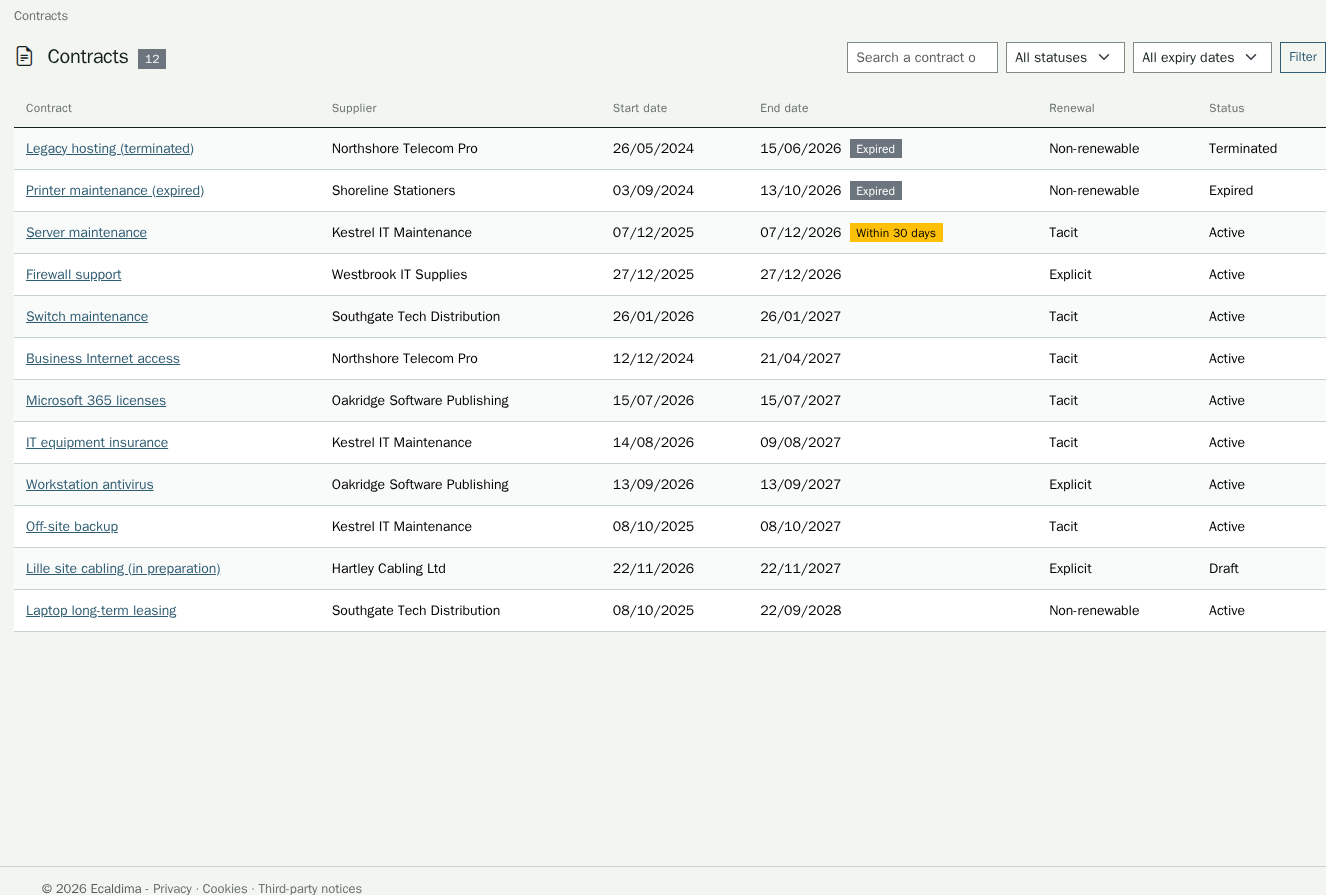
All your contracts, their dates and their statuses, in one place.

02As deadlines approach

The right owner is notified at the right time.

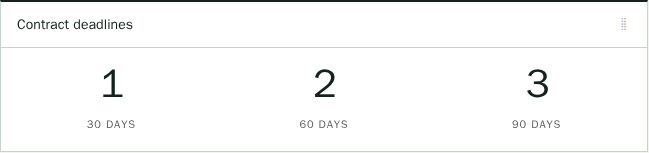
Deadlines are tracked at 30, 60 and 90 days. The notice period is set contract by contract, and a contract with no notice period or still in draft is never flagged. If you choose, the alert also launches a renewal request from your service catalogue.

The right owner is notified at the right time.

03On the support side

The supplier meets its deadlines, and it shows.

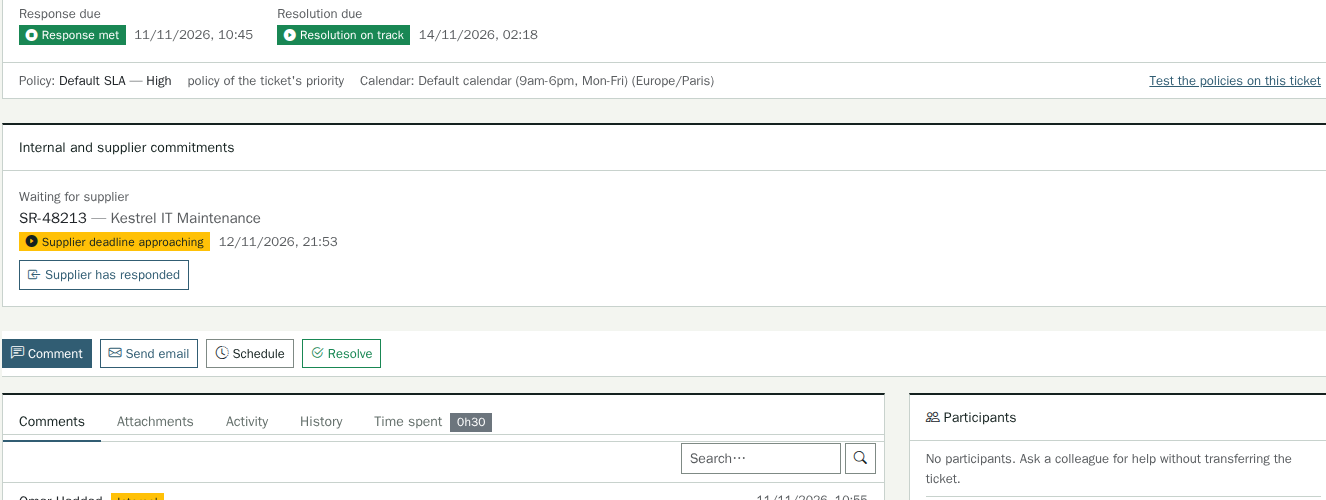
When a ticket is passed to the supplier, its deadline comes from the SLA of the contract covering the asset, with an alert before it is exceeded; supplier SLA compliance is part of the Service Desk indicators.

The supplier meets its deadlines, and it shows.

Terms, version by version.

Dates and amounts are kept with every change, with the signed contract and its amendments attached.

On the customer side, an opportunity.

The end date of a customer contract creates the renewal opportunity in the CRM, 90 days ahead by default: the account manager has time to act.

I’m blown away!

A customer who has used Ecaldima since its early days, after the demonstration of the new version

Related modules

Functional scope Every detail of the module
  • Single registerLicences, maintenance, leasing, services and insurance, with supplier, dates, renewal type, amount and recurring cost.
  • OwnerA designated person for each contract, who receives the alerts.
  • Expiry alertsNotice period set per contract; a contract with no notice period entered, or in draft, is never alerted.
  • StatusesDraft, active, expired and terminated.
  • Supplier SLAResponse and resolution times, availability and service window attached to the contract.
  • Covered assetsAn asset linked to the warranty or maintenance contract that covers it.
  • AttachmentsSigned contract and amendments.
  • HistoryThe evolution of dates and amounts kept at every modification.

Integrations

  • E-mail notifications to the contract owner
  • Scheduler for the daily check of deadlines
  • Renewal request from the service catalogue, if that module is used

Prerequisites

  • The notice period of each contract, so that the alert is sent
  • A designated owner for each contract

The essentials of this page in PDF, to keep or pass on.

Download the sheet

Want to see this module on your own processes?

We will build the demonstration around your operational reality.

Request a demonstration