Modules · Stock

Know what you have, where, and how much.

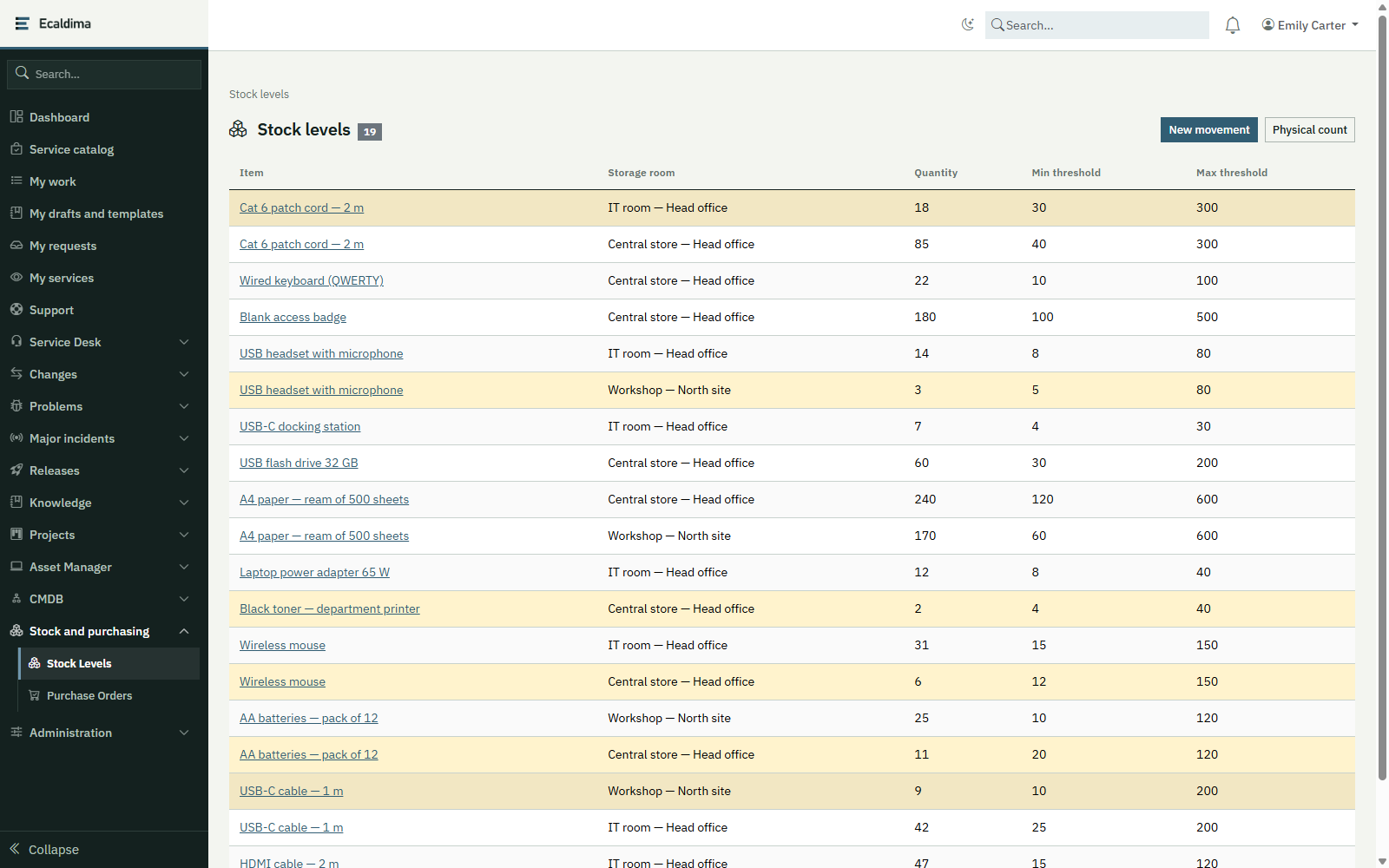
Stock tracking keeps an inventory of the consumables and spare parts in your stock rooms, records every movement and raises an alert when a threshold is crossed.
Request a demonstration

Benefits

  • Reliable quantitiesEvery receipt, issue, transfer or count is recorded with its date; stock can never go negative.
  • Replenishment triggered in timeWhen a minimum threshold is crossed, the stock room manager is alerted and a replenishment proposal is created.
  • A history that stays readableEach movement keeps the item’s and the room’s names as they were: the history can still be read if either is deleted later.
  • A physical count reconciledA count brings the quantity back into line and keeps the difference in the history.

How it works

01

Describe

Items (reference, category, unit, cost, preferred supplier, barcode) and stock rooms.

02

Record movements

Receipts, issues and transfers between rooms, with the history of each item.

03

Monitor

Minimum threshold per item and per room; global maximum threshold to avoid overstock; checked every day.

04

Replenish

A replenishment proposal becomes an order with the Purchasing module.

Related modules

Functional scope

  • ItemsConsumables and spare parts, with reference, category, unit, unit cost, preferred supplier, barcode and owner.
  • Stock roomsEach room has its manager; levels are followed by item and by room.
  • MovementsReceipts, issues and transfers; an issue can be charged to a project task.
  • Physical countCounting a room and reconciling the quantity, with the difference recorded as an adjustment.
  • Thresholds and alertsA minimum threshold per item and per room, which alerts the manager and creates a replenishment proposal; a global maximum threshold, which alerts the item owner without ordering anything.
  • History by itemLevels by room and movements, most recent first; linked projects.
  • DashboardThe levels below their threshold, most critical first.
  • Unified screenRooms, items and crossed thresholds in the screen that brings together assets, contracts and stock.

Integrations

  • CMDB repository, for items, rooms and suppliers
  • E-mail notifications, for crossed thresholds and overstock
  • Scheduler, for the daily threshold check
  • Purchasing module, to order from a proposal (optional)
  • Project management, to charge issues

Prerequisites

  • The stock rooms and their managers, to be designated
  • The items to track, to be entered or imported
  • The thresholds to set, item by item

Want to see this module on your own processes?

We will build the demonstration around your operational reality.

Request a demonstration