Modules · Release management

Each instance at its own pace, none lost from view.

A release groups approved changes and is deployed instance by instance. Ecaldima tracks each one, keeps the exit checklist and watches over the days that follow: a regression is spotted quickly.

Request a demonstration Download the sheet

  • Exit checklist complete before go-live
  • Status and date for each instance
  • Heightened monitoring after deployment

01Overview

Where every release stands, on every instance.

The matrix crosses releases with instances: pending, in progress, deployed, failed or postponed, with delays flagged. A postponement or failure on one instance blocks none of the others.
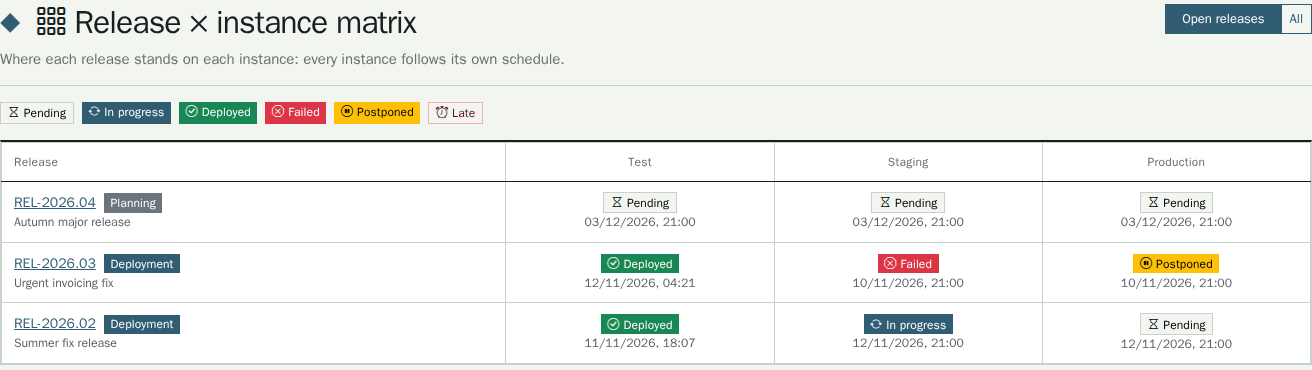
Where every release stands, on every instance.

02Before and during deployment

Nothing goes out without its checklist.

Testing, communication, documentation, approvals: the exit checklist is complete before go-live, and points specific to the release can be added. The grouped changes are frozen once deployment starts, and each instance keeps its own history.
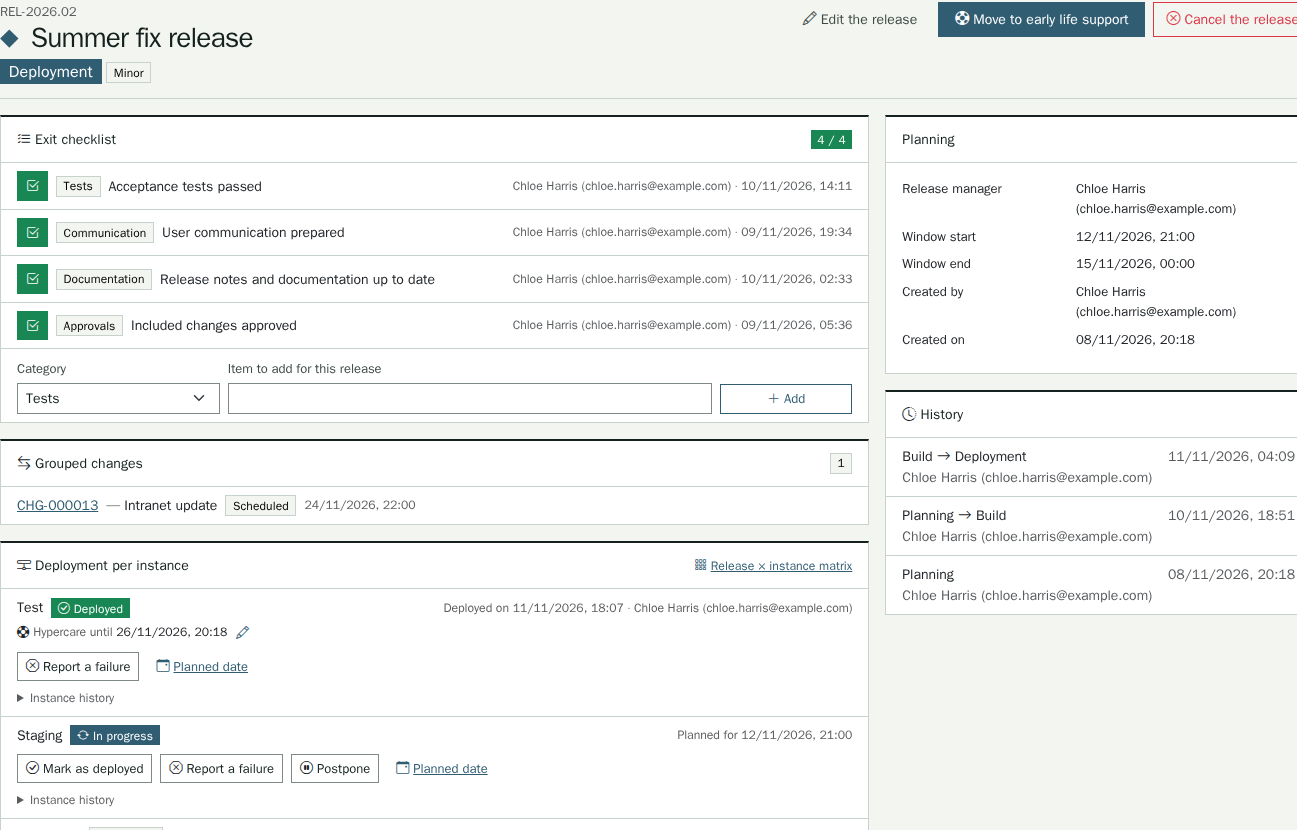
Nothing goes out without its checklist.

03After deployment

The days that follow stay under watch.

During heightened monitoring, fourteen days by default, tickets opened on the affected items are proposed for attachment. A failed deployment can be escalated to a major incident in one click, already filled in.
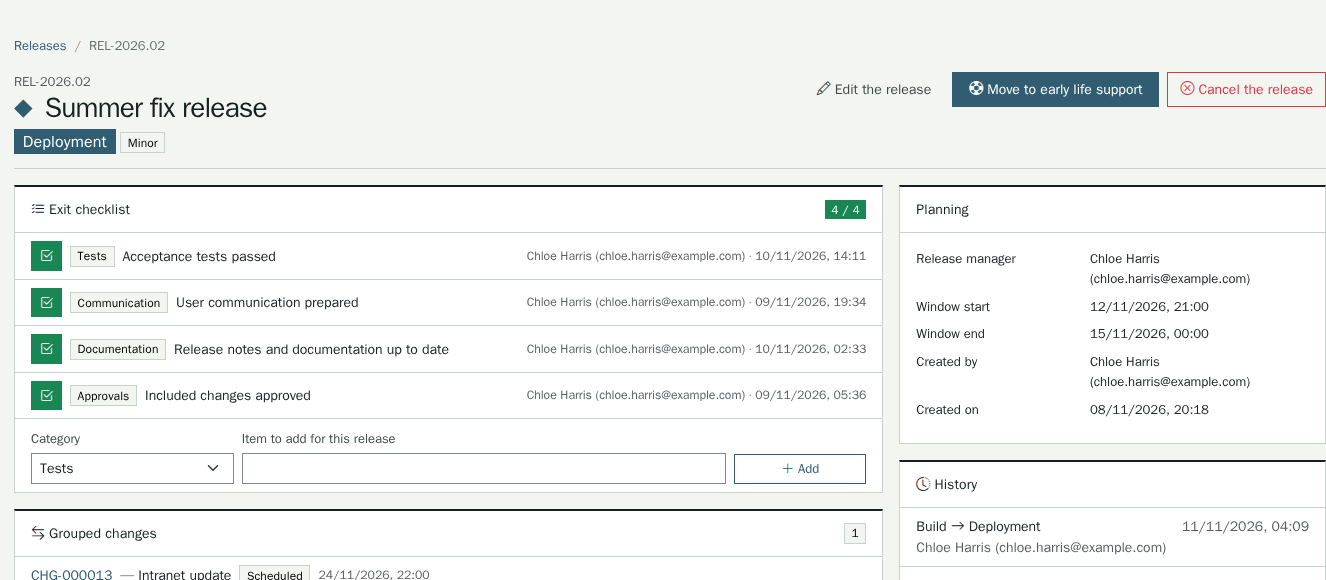
The days that follow stay under watch.

Ecaldima tracks, your tools deploy.

The module does not replace your deployment tools: it tracks progress, instance by instance, and keeps a record of every decision. The change and release calendars each show the other, freezes included.

Release notes ready to publish.

Editing with preview, export to Markdown or PDF; when the AI module is configured, draft notes can be proposed from the included changes.

I’m blown away!

A customer who has used Ecaldima since its early days, after the demonstration of the new version

Related modules

Functional scope Every detail of the module
  • Types and life cycleMajor, minor or emergency, numbered automatically; planning, build, deployment, heightened monitoring, closure; cancellation possible until closure.
  • Exit checklistAn editable, translated template; points specific to the release can be added.
  • Grouped changesOnly approved or scheduled changes can be attached; the content is frozen from deployment onwards.
  • Target instancesA register of instances (production, test, one per customer…), activatable and ordered, with an alerted team per instance.
  • Release × instance matrixColour-coded statuses, delays flagged, open major incident visible.
  • Heightened monitoringAdjustable duration per instance; tickets attached by hand or suggested from the items in the included changes.
  • CalendarRelease windows, freeze periods and, as a layer, scheduled changes.
  • Release notes and reportingEditor with preview, Markdown and PDF export; Kanban board, late instances, failure and rollback rates.

Integrations

  • Change management, including the calendar and freeze periods
  • E-mail notifications, with editable templates
  • AI assistance to propose release notes from the changes, when the AI module is configured

Prerequisites

  • The target instances, to be declared with you
  • The release managers, to be designated
  • Your deployment tools: the module tracks progress, it does not deploy

The essentials of this page in PDF, to keep or pass on.

Download the sheet

Want to see this module on your own processes?

We will build the demonstration around your operational reality.

Request a demonstration