Modules · Service catalogue

A clear front door for every service request.

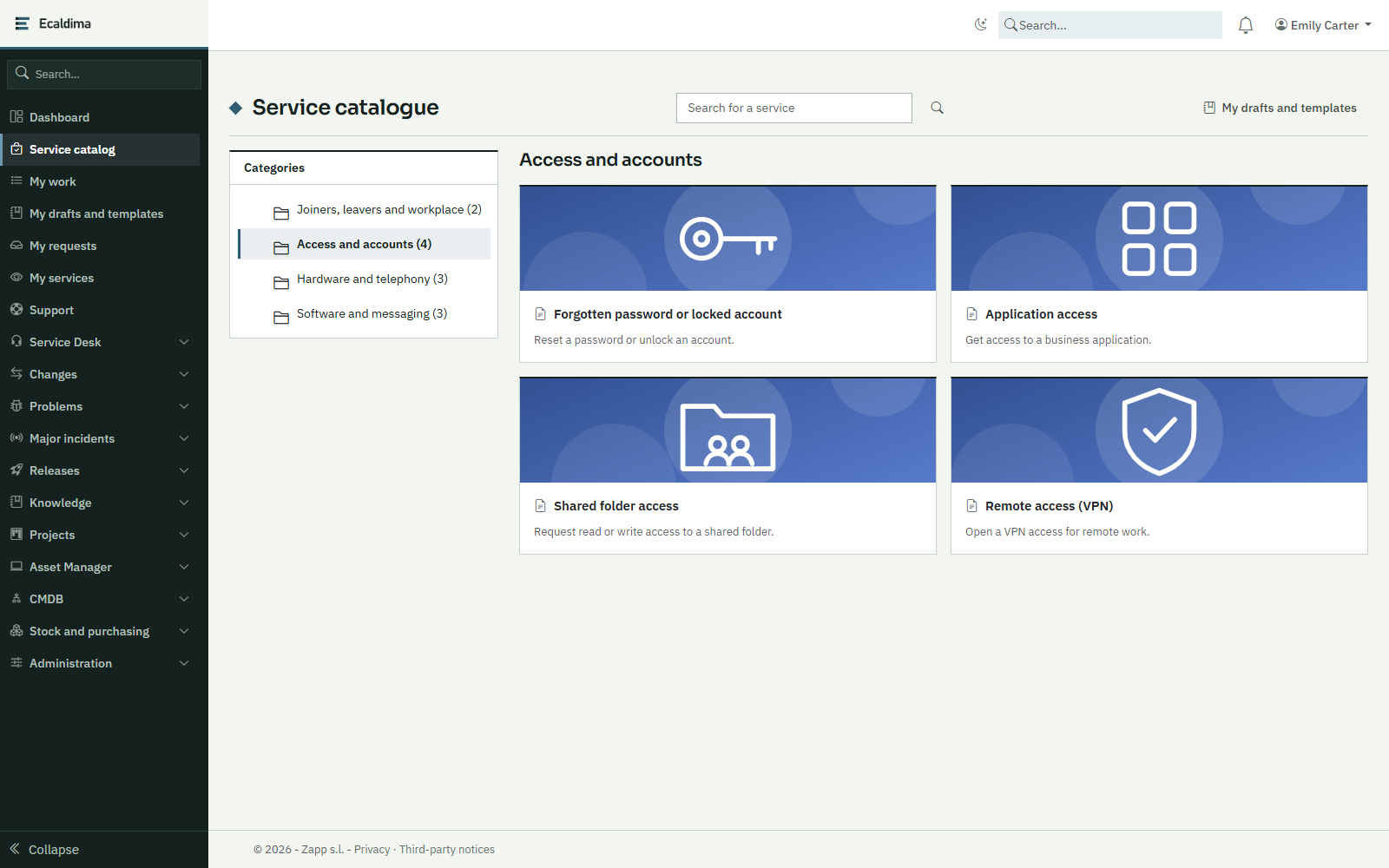
The catalogue presents the services your organisation offers, each with a form suited to it. Every order leaves with its own number and follows the service’s process.
Request a demonstration

Benefits

  • Complete requests from the startEach service asks the right questions: the request arrives already qualified, with no follow-up needed to complete it.
  • A readable offerServices are arranged in categories with their description and items, so requesters know what they can order.
  • An order that fits the situationThe items offered follow the answers on the form: for someone starting remotely, laptops replace desktop PCs.
  • An owner for every serviceEach service names its owners. A process step with no recipient falls to them, so no request is left without an owner.

How it works

01

Compose

The administrator creates the categories, services and items in the form requesters will see them.

02

Order

The requester browses the catalogue, fills in the form, ticks the items and submits.

03

Process

The request leaves with its number and follows the process attached to the service.

04

Keep informed

A visitor without an account receives a link by e-mail to follow the request’s progress and exchange with the team.

Related modules

Functional scope

  • Hierarchical catalogueNested categories, then services, then items; an entry can also be a simple link to an external tool.
  • Configurable formsEach service carries its own form, built without development: fields appear according to the answers and input is checked.
  • Items and optionsDefault quantity, pre-ticked box, quantity editable or not; one item can tick another or wait until another has been processed.
  • Conditional offerThe items offered are hidden or shown according to the answers on the request form.
  • Access by categoryA category can be reserved for people or groups; the restriction also applies to its sub-categories.
  • Drafts and templatesRequesters save an order as a draft or a template to come back to it later.
  • Requests without an accountSome services can be opened to a visitor without an account, who follows the request through a link received by e-mail.
  • Several languagesLabels are entered in each of the organisation’s languages; editing one does not erase the others.

Integrations

  • Process engine, for handling each request
  • Dynamic forms, for request forms
  • The organisation’s user and group directory
  • E-mail notifications

Prerequisites

  • The services to publish and their handling processes, to define with you
  • The owners of each service, people or groups

Want to see this module on your own processes?

We will build the demonstration around your operational reality.

Request a demonstration