Every device on record, from invoice to end of warranty.
Assets follow your equipment throughout its life: what it cost, who maintains it, who uses it, when its warranty ends. Shared equipment is booked in a calendar, with no double booking.
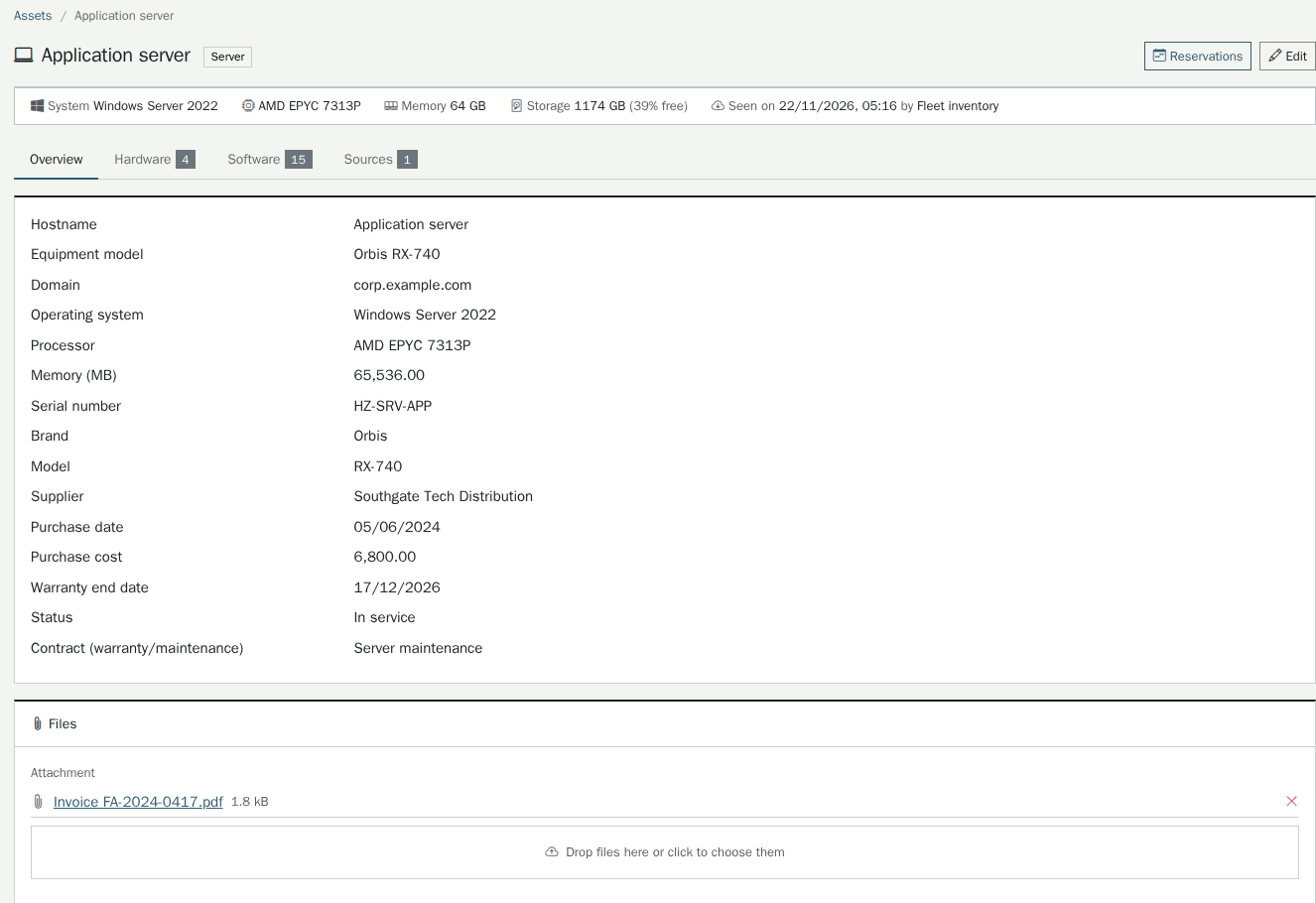
The ERP server: what it cost, who maintains it, how long it is under warranty.
The day after an ERP outage, Finance asks the IT director these three questions. The answers fit on one record.
The record
Everything you know about the server, in one place.
Serial number, supplier, purchase date and cost, warranty ending on 17 December, server maintenance contract, invoice attached. At the top, a summary of the latest inventory: system, processor, memory, storage.
For the asset manager
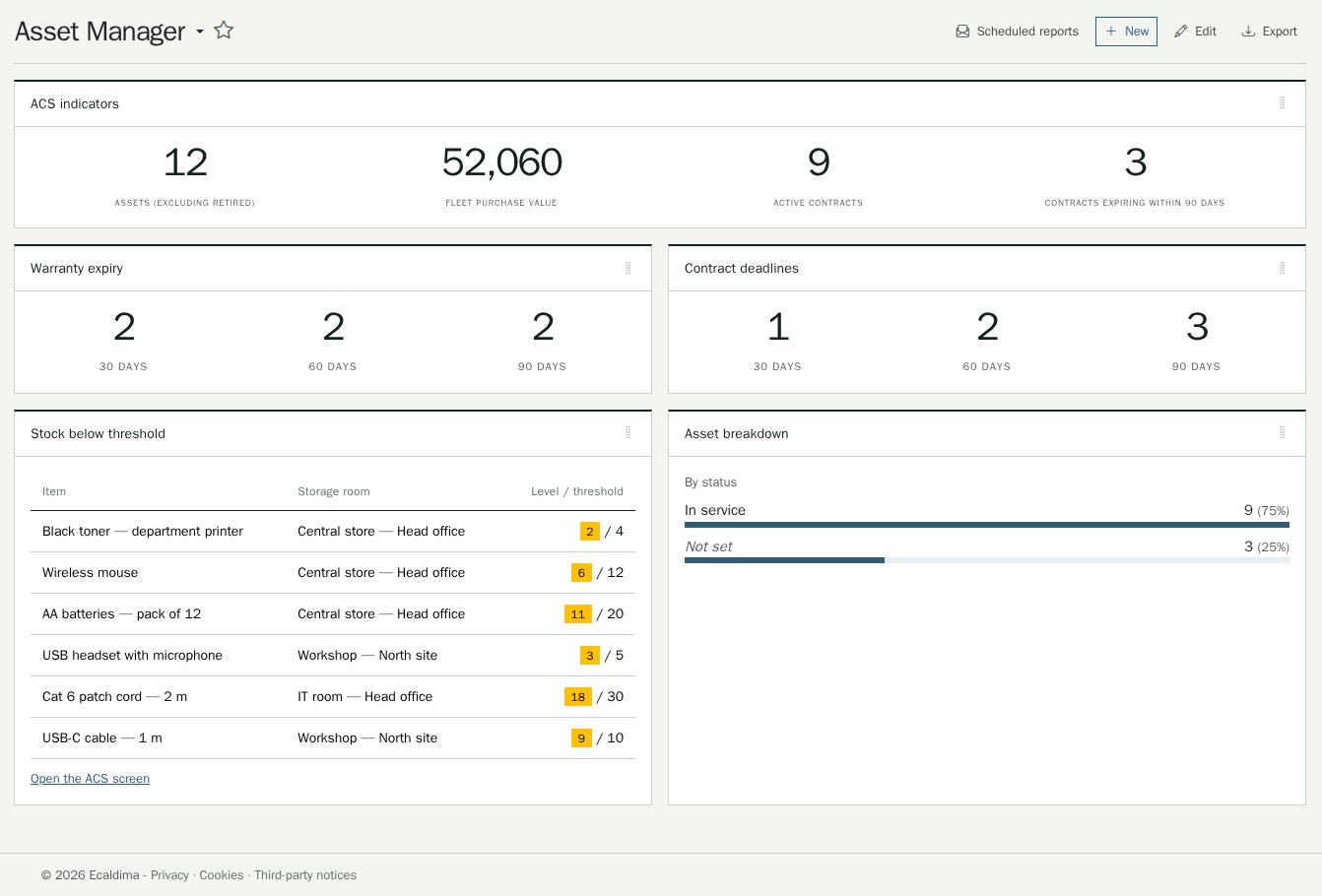
See warranty expiries coming.
The dashboard shows the estate’s purchase value, warranties and contracts coming due within 30, 60 and 90 days, and stock below threshold. Every day, Ecaldima flags warranty ends, regulatory inspections and expiring licences; a warranty end can open a ticket in the Service Desk.
In one go
All of a department’s laptops linked to the new contract, in one action.
You tick assets in the list, or every result of a filter, then choose the action. A confirmation screen shows what will change; the report lists each asset updated, unchanged or refused with the reason, and every asset keeps a record of it in its history.
Shared equipment
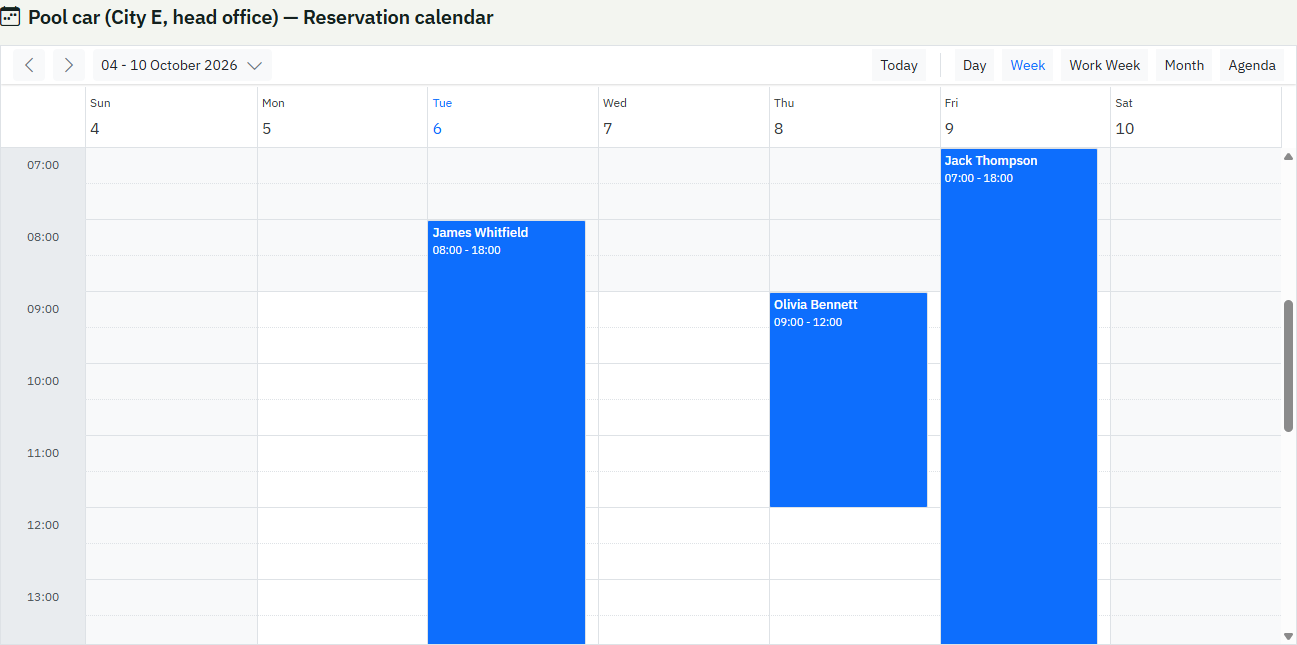
One pool car, three bookings, no overlap.
Every shared asset has its own calendar. Two bookings never overlap on the same asset, even when sent at the same instant, and the record shows the upcoming bookings.
A discovered device becomes an asset.
An asset is a CMDB item: its relationships, permissions and history are immediately available to tickets and changes. A device found by network inventory enters the same repository.
If you manage your customers’ equipment, the CRM turns their warranty ends and licence expiries into renewal opportunities, and end-of-life hardware into upsell proposals.
Pool cars, loan equipment: everyone books in the calendar, and the asset manager can cancel a booking.
Information security
Who holds what, at any time.
Every change of assignment stays in the history, and the list of equipment to return is exported as a PDF when someone leaves.
I’m blown away!
Related modules
CMDBAssets are items in the repository, with its relationships, rights and history: an asset is immediately available to tickets and changes.
ContractsAn asset is linked to the warranty or maintenance contract that covers it, and that contract sets the deadline for tickets passed to the supplier.
Network inventoryA discovered device is an asset from the start, with status, owner, warranty and purchase cost.
StockA single screen brings together assets, contracts and stock, with upcoming expiries and thresholds crossed.
Project managementAn asset can be attached to a project, task or milestone, and its record shows the linked projects.
CRM: customer relationship managementWarranty ends and licence expiries create renewal opportunities; end-of-life equipment and fully used licences become upsell proposals.
Functional scope Every detail of the module
Asset recordCategory, reference, serial number, barcode, make, model, supplier, purchase and warranty dates, cost and residual value.
Life cycleStatuses from order to retirement; the history keeps every change of status, owner and location.
Composite assetsA parent asset groups its components, for example a laptop and its docking station.
Import and attachmentsBulk import from a file; invoice, photo and warranty certificate attached to the record.
BookingStart and end period, calendar, cancellation that frees the period; two bookings never overlap.
Meter readingsHours, mileage or cycles, with the date of the reading.
DashboardEstate in service, purchase value, warranties and contracts nearing expiry, split by status or location.
Rights by typeRead and write access set by group, as for any item in the repository.
Integrations
CMDB repository
The organisation’s user directory, for owners and assignments
Suppliers and contracts in the repository
Prerequisites
The assets to track, to be imported or entered with you
The shared assets to open for booking
The essentials of this page in PDF, to keep or pass on.